Why inbound reply drift matters during email warmup
Email warmup is built on a simple premise: mailbox providers reward senders who generate normal, human engagement signals—opens, replies, reading time, moving messages out of spam, and consistent sending patterns. The problem is that your inbox doesn’t only receive “real” replies. It also receives auto-responders, out-of-office notices, ticketing acknowledgements, and templated vendor replies. Over a warmup period, those machine-generated messages can accumulate and quietly distort the engagement profile your sender appears to generate. That phenomenon is inbound reply drift.
Inbound reply drift is not about a single OOO response. It’s about the mix of inbound messages tilting toward automated patterns that look nothing like a healthy one-to-one conversation. During warmup, when your engagement baseline is still fragile, that tilt can poison the very signals you’re trying to build.
What creates drift in the first place
Warmup programs often focus on outbound behavior—volume, ramp rate, time-of-day distribution, and inbox interactions. Drift tends to come from inbound behavior you don’t control, especially when your outreach list intersects with corporate systems designed to respond automatically.
Common sources of noisy inbound replies
- Out-of-office and “limited access” notices from corporate calendars
- Role inbox auto-responders such as billing@, support@, careers@
- Ticketing system receipts (Zendesk/Freshdesk/Jira Service Management-type confirmations)
- Security gateways that send click/release notifications or message disclaimers
- Templated vendor replies that look human but repeat verbatim across recipients
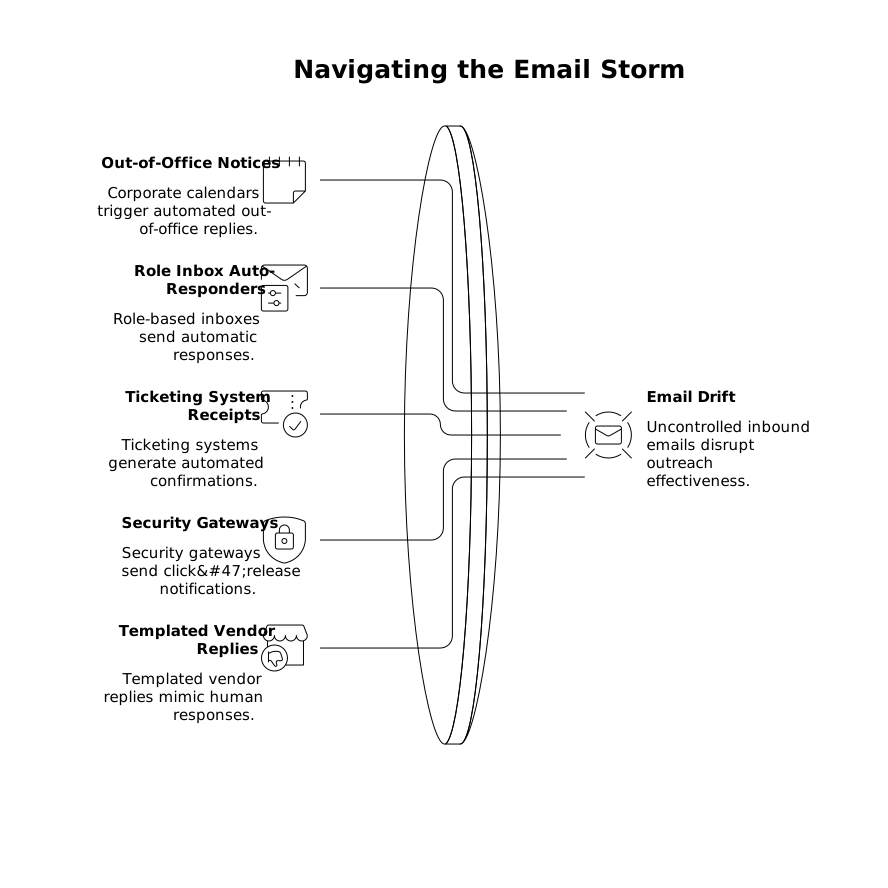
Individually, these responses are normal. Collectively, they can shift your reply distribution toward short, repetitive, non-conversational messages—exactly the kind of pattern filters learn to discount.
How drift can poison engagement signals
Mailbox providers do not publicly disclose their scoring models, but they do react to signals that correlate with legitimate communication. Inbound reply drift undermines that legitimacy in several ways.
It inflates “reply rate” without real conversation depth
Warmup tools and internal dashboards can over-credit replies as a proxy for trust. If a growing share of replies are auto-generated, you can mistakenly believe warmup is succeeding while inbox placement quietly stagnates.
It creates repetitive linguistic fingerprints
OOO notices and system receipts are highly templated. If your warmup inbox is flooded with near-identical messages (“I’m out of office until…”, “Your request has been received…”), the overall thread history and reply corpus tied to your mailbox can look synthetic. Even if your outbound messages are varied, the inbound stream becomes unnaturally uniform.
It shifts your engagement timing into unnatural bursts
Auto-responders often fire immediately. Human replies cluster around working hours and vary widely in response time. A warmup mailbox that frequently receives instantaneous replies can resemble automation loops more than normal correspondence.
It increases operational drag and misclassification risk
Noisy inbound replies lead to sloppy triage: important human responses get buried, and teams start mass-archiving or bulk-deleting. Those behaviors can create their own negative signals (e.g., ignoring messages that should be handled, or letting legitimate threads go stale).
Detection signals you can monitor without guesswork
You don’t need proprietary deliverability telemetry to spot inbound reply drift. You need a few concrete metrics that reveal when automation is dominating your inbound stream.
- Auto-reply share: percentage of inbound replies containing common patterns (e.g., “out of office”, “ticket”, “case number”, “do not reply”).
- Median time-to-reply: if it collapses toward near-zero, automation is likely rising.
- Top inbound subject lines: repeated subjects like “Automatic reply:” or “Re:” with identical bodies are drift indicators.
- Recipient type mix: rising volume from role accounts vs. named individuals.
If your workflows already track attribution and backfilled events, you’ll recognize the failure mode: the metric is “technically true” but operationally misleading. The same logic applies here—reply count is not the same as meaningful engagement. (The analytics parallel is similar to how late-arriving conversions can skew performance reporting.)
Prevention strategies that keep warmup engagement clean
The goal is not to eliminate automation—some is inevitable—but to prevent it from dominating the engagement profile of a warming mailbox.
1) Segment who you warm up against
During warmup, avoid sending to addresses likely to generate automatic responses: support@, info@, careers@, security@, compliance@, and heavily gated industries. Favor real-person inboxes where conversation patterns look natural. If you must include role inboxes, keep them at a small, stable share so they don’t overwhelm the mix.
2) Rate-limit threads that trigger receipts
Ticketing systems and corporate gateways are easy to trigger repeatedly if you send similar messages at similar times. Spread sends across the day, vary subjects, and ensure you’re not repeatedly pinging the same automated endpoint. Warmup should simulate normal relationship building, not system stimulation.
3) Use filtering rules that preserve signal without hiding humans
Create a labeled pipeline: auto-replies get tagged and removed from your “warmup engagement” reporting, but they’re not immediately deleted. This reduces both metric pollution and accidental loss of real replies mixed into noisy threads. If your team struggles with keeping inbox triage consistent, a calendar-driven approach to handling communications can help keep warmup mail from becoming a constant context-switch. (A related workflow is outlined in a calendar-first inbox system.)
4) Separate warmup inboxes from production inbound channels
Don’t warm up on an address that is already receiving high volumes of system mail (support confirmations, vendor notifications, monitoring alerts). If your production inbox must stay “clean,” isolate warmup activity to dedicated mailboxes that are not subscribed to operational tooling.
5) Prefer warmup networks that generate human-like inbound behavior
Not all warmup is equal. The quality of the counterpart inboxes and the realism of interaction patterns matter. A platform like mailwarm is designed around generating authentic engagement signals across major providers (Gmail, Outlook, Microsoft 365, Yahoo, and custom SMTP), using a large network of real accounts to create more natural inbox activity. The practical advantage is that your “good” signals don’t have to compete with a high share of machine replies to look believable.
Operational checklist to keep drift from creeping back
- Weekly audit: sample 50 inbound replies and classify human vs. automated.
- Threshold: set an internal maximum (e.g., 15–25%) for automated replies during warmup.
- List hygiene: remove role accounts and known ticketing endpoints from warmup targets.
- Thread diversity: ensure subjects, send times, and recipient domains are not overly repetitive.
- Escalation path: if drift rises, pause ramp-up and correct the mix before increasing volume.
Inbound reply drift is subtle because it looks like “more replies,” but warmup success is about the right kind of engagement. Treat automated replies as a contamination factor, monitor them explicitly, and keep your warmup signals anchored in normal human conversation patterns.
Frequently Asked Questions
How can Mailwarm help reduce inbound reply drift during email warmup?
Mailwarm helps by generating more natural engagement patterns through real inbox interactions, so automated OOO or system receipts are less likely to dominate your reply mix.
Should I count out-of-office replies as positive engagement when using Mailwarm?
Even with Mailwarm, treat OOO and auto-responder messages as noisy signals. Track them separately so your warmup reporting reflects human-like engagement, not automated volume.
What’s the easiest way to detect inbound reply drift while warming up with Mailwarm?
Monitor the share of inbound replies that contain common auto-reply phrases (e.g., “out of office,” “do not reply,” “case number”) and watch for near-instant reply times that indicate automation.
Can inbound reply drift hurt deliverability even if I’m using a warmup tool like Mailwarm?
Yes. Mailwarm supports strong warmup signals, but if your mailbox also receives a high volume of automated replies from role accounts or ticketing systems, it can still distort your engagement profile and mislead your metrics.
What inbox setup works best with Mailwarm to avoid auto-responder noise?
Use dedicated warmup mailboxes that are not subscribed to operational tools or shared support channels, and avoid warming up heavily against role accounts that trigger automatic receipts.