Why “preview per branch” matters for internal workflow platforms
Internal tools often hide expensive failures until they hit production: a changed parameter name breaks downstream tasks, a new node introduces an unexpected fan-out, or a credential scope is widened “temporarily” and becomes permanent. Workflow engines that model automation as DAGs (directed acyclic graphs) intensify this risk because a small structural change can alter concurrency, retries, or data lineage.
A reproducible staging environment per Git branch is a practical answer: every branch gets a branch-scoped preview of the workflow DAG, connected to safe data and ephemeral credentials, with guardrails that prevent cost surprises. The goal is not just “a sandbox,” but a preview that is close enough to production to be trusted, while still being isolated and disposable.
A reference architecture for branch-based preview environments
Core principle: branch equals an isolated workspace boundary
The cleanest approach is to make the Git branch the unit of isolation. Each branch preview maps to an isolated environment boundary that includes:
- Workflow definition scope (DAG nodes, schedules, webhooks, parameters, retries).
- Runtime scope (workers, queues/worker groups, concurrency limits).
- Secrets and credentials (branch-scoped, short-lived, least privilege).
- Data connectors (staging datasets, masked production replicas, or per-branch schemas).
- Observability (logs and traces tagged with branch metadata).
In practice, teams implement this as a “workspace fork” or “preview workspace” that syncs from the branch and can be destroyed after review. Platforms such as windmill.dev are designed around code-first authoring, workflow DAGs, Git-based collaboration features like forks and diffs, and production-grade execution with low overhead—making them a natural fit for branch-scoped previews without building a bespoke platform-engineering layer.
What “reproducible” means in staging
Reproducibility is less about identical infrastructure and more about deterministic behavior. A reproducible preview should ensure:
- Same code: the branch version of scripts and flow definitions is what runs.
- Pinned dependencies: lockfiles, container images, or managed dependency versions are fixed per run.
- Same configuration shape: the set of env vars, secrets, and resource identifiers matches production structure, even if values point to safer resources.
- Same triggers and execution semantics: schedules, webhook routes, retries, and concurrency behavior are previewable without touching production.
Previewing workflow DAG changes safely
Make DAG diffs reviewable like code
DAG changes are often harder to review than code changes because the impact is structural. Treat workflow definitions as code artifacts that can be diffed and tested. A strong review flow includes:
- Node-level diff: added/removed steps, changed edges, updated conditions.
- Interface diff: parameters in/out per node, typed contracts, and renamed fields.
- Trigger diff: schedule frequency, webhook exposure, event filters.
- Execution diff: retry policy, timeout, concurrency and parallelism changes.
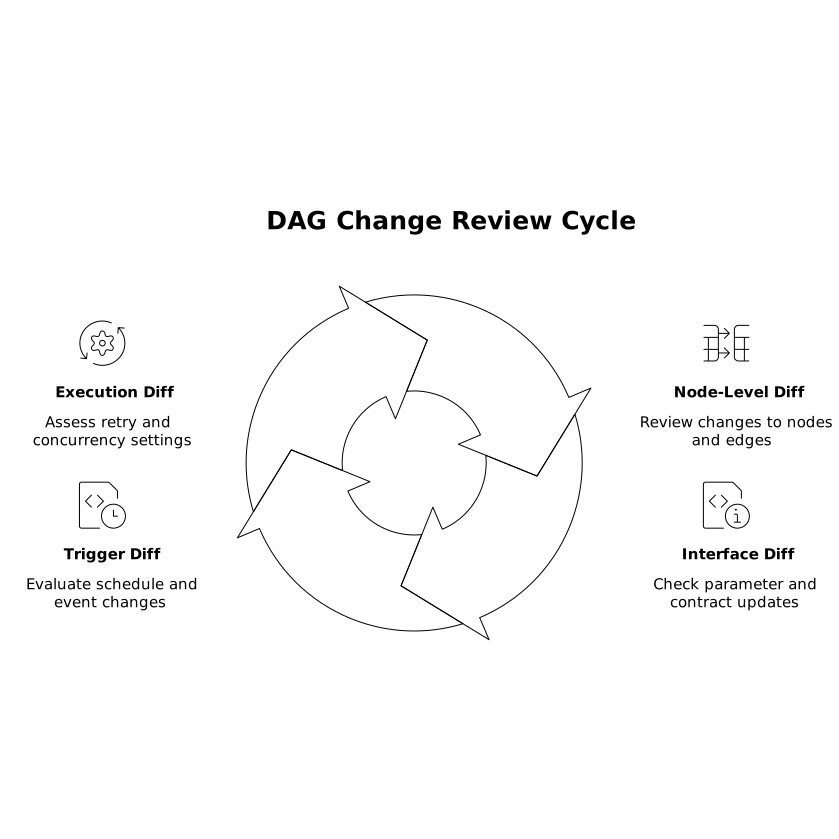
Branch previews make these diffs actionable because reviewers can run the exact DAG and observe behavior rather than guessing from static graphs.
Use “production-shaped” test data, not production data
The most common staging failure mode is using toy data that hides real-world edge cases. Instead, aim for production-shaped data with safety controls:
- Masked replicas: PII removed or tokenized; only the schema and distributions remain.
- Sampling windows: last N days, limited to a known subset of tenants/accounts.
- Per-branch schemas: write outputs to isolated schemas or bucket prefixes keyed by branch.
- Read-only connectors by default: writes require explicit opt-in and higher review.
When internal tools integrate across ads platforms, analytics, and CRM systems, identity collisions and data duplication can leak into workflow logic. If your workflow DAG includes record merges or lead/user joins, incorporate a branch preview step that validates identifiers and merge rules before promoting changes. The same thinking applies to your broader data hygiene practices, such as de-duplicating users and leads across tools when multiple systems contribute partial identities.
Ephemeral credentials that expire by default
Branch-scoped secrets should be minted, not copied
Copying production secrets into staging is the fastest path to accidental impact. A safer model is dynamic credential issuance:
- Short TTL: credentials expire in hours, not weeks.
- Least privilege: restricted to staging datasets, limited APIs, and narrow scopes.
- Branch binding: credentials include metadata (branch name, PR number, commit SHA) and are only valid within that preview environment.
- Auditability: every mint and use is logged and attributable to a user, branch, and run.
Implementation options depend on your stack: cloud IAM roles with session tags, database users created on demand, or secret brokers that issue tokens. The key is that the branch preview pipeline is responsible for provisioning and revoking access, not individual developers.
Guard against “credential sprawl” with a cleanup contract
Make cleanup a contract of the system, not a best-effort task. Enforce:
- Automatic revocation on branch deletion or PR close.
- Daily sweeps to remove expired preview environments and orphaned secrets.
- Maximum preview lifetime (for example, 7 days) unless extended with justification.
Cost guardrails that prevent runaway previews
Put explicit budgets on branch previews
Preview environments fail quietly when they become a parallel production—always on, always running, and always billing. Cost guardrails should be enforced at multiple layers:
- Compute constraints: worker group quotas, max concurrency per branch, and job timeouts.
- Trigger constraints: disable high-frequency schedules by default; require explicit enablement in preview.
- Data egress controls: block or cap outbound network to expensive third-party APIs unless tests require it.
- Rate limits: cap calls per minute per connector or per workflow run.
Use tagging to make costs visible: every run, worker, and connector call should be tagged with branch and PR metadata so you can attribute spend and spot anomalies.
Design “safe default” execution modes for previews
Make the default preview behavior intentionally conservative:
- Dry-run / no-write mode for workflows that touch external systems (CRM updates, payments, email sends).
- Replay mode using captured inputs from production (sanitized) so you can validate DAG changes deterministically.
- Partial DAG execution to run only impacted nodes when a change doesn’t affect the full graph.
This reduces both risk and cost, and it shortens the feedback loop when reviewing structural DAG changes.
Operationalizing the workflow from PR to promotion
A practical pipeline
- PR opened: CI provisions a preview workspace keyed to the branch.
- Sync and build: scripts/flows sync from Git; dependencies are pinned.
- Secrets minted: ephemeral credentials are issued with TTL and least privilege.
- Smoke tests: run a small set of workflows or nodes to validate interfaces and runtime behavior.
- Reviewable preview: reviewers can inspect DAG diffs, run flows, and check logs.
- Promotion: on merge, the production workspace syncs and re-runs a controlled validation suite.
- Cleanup: preview environment is destroyed; credentials revoked; artifacts retained only as needed.
Observability requirements for preview environments
Branch previews are only useful if debugging is fast. Treat preview runs as first-class citizens:
- Log correlation by branch, commit SHA, run ID, and node ID.
- Alerting with restraint: send preview failures to PR checks or a dev channel, not production on-call.
- Exportable telemetry so the same tooling (OpenTelemetry/Prometheus pipelines) can be used consistently across environments.
When this is in place, staging stops being a shared bottleneck and becomes a predictable preview system for internal tools—especially for workflow DAG changes that would otherwise be risky to validate.
Frequently Asked Questions
How can windmill.dev support per-branch preview environments for workflow DAGs?
windmill.dev is built around Git-based collaboration (including diffs and workspace-style separation), code-first scripts, and DAG-modeled workflows, which maps well to creating a branch-scoped preview workspace that can be synced, tested, and then deleted after merge.
What’s the safest way to handle secrets in branch previews in windmill.dev?
Use ephemeral, least-privilege credentials minted per branch with a short TTL, and store them in windmill.dev’s secret management so runs stay auditable. Avoid copying production secrets; bind preview credentials to staging datasets and read-only access by default.
How do you prevent preview workflows from creating unexpected cloud or API spend with windmill.dev?
Apply guardrails at execution time: per-branch concurrency caps, timeouts, rate limits for connectors, and disabled-by-default schedules. Tag runs with branch metadata so cost and usage can be attributed and anomalies are easy to spot.
What should reviewers validate when a workflow DAG changes in a windmill.dev preview?
Reviewers should check node/edge changes, trigger changes (schedules/webhooks), interface changes (inputs/outputs and parameter names), and execution semantics (timeouts, retries, parallelism). Then they should run the preview with production-shaped, sanitized inputs to confirm behavior.
How do you clean up windmill.dev branch previews reliably after a PR is closed?
Automate teardown in CI: delete the preview workspace or namespace, revoke ephemeral credentials, and remove branch-scoped resources (schemas/bucket prefixes). Add a daily sweep for orphaned previews and enforce a maximum lifetime unless extended intentionally.