Why prototypes break in production security reviews
AI-generated internal tools often start as “good enough” prototypes: a React UI, a Supabase database, and a few tables that mirror a spreadsheet. The moment the app needs to ship to a real workspace—especially in regulated or enterprise environments—the review changes. Security teams expect three things to be boring and predictable: identity lifecycle (SCIM), authentication (SSO), and authorization (role-based access control with auditability).
This blueprint focuses on turning a working internal tool into something an IT admin can approve: a clear identity model, repeatable provisioning, least-privilege roles, and guardrails enforced at the database layer. If you’re building with React + Supabase, it maps well to the standard primitives you already have (JWT claims, Postgres policies, and server-side functions). Platforms like lovable.dev are useful here because they get teams to a real codebase quickly while still allowing you to implement the compliance-critical pieces in code mode and sync to GitHub from day one.
Target architecture and the minimum compliant surface area
A practical setup for internal tools typically includes:
- Identity Provider (IdP): Okta, Azure AD (Entra ID), Google Workspace, Ping, etc.
- SSO: SAML or OIDC for authentication into your app.
- SCIM: provisioning/deprovisioning users and group membership from the IdP.
- Authorization: roles and permissions enforced in Postgres (Row Level Security) and optionally in edge functions for API endpoints.
- Auditability: who did what, when, from which workspace context.
The key design decision: treat the database as the enforcement point. React should be a client, not an arbiter of access. If a user can bypass the UI and call your Supabase API directly, the policies must still hold.
Step 1: Define the identity and tenancy model before SCIM
SCIM becomes straightforward when your core data model is stable. For most internal tools, you’ll want a workspace boundary with users belonging to one or more workspaces.
Suggested core tables
- workspaces: id, name, created_at
- profiles: user_id (Supabase auth UID), email, display_name, created_at
- workspace_members: workspace_id, user_id, role, status
- groups (optional): workspace_id, external_id (SCIM), name
- group_members (optional): group_id, user_id
Roles should be explicit and small in number. A workable baseline is: owner, admin, member, and viewer. Your goal is to keep permissions predictable, not to mirror every org chart nuance.
Step 2: Implement SSO so authentication is not a special case
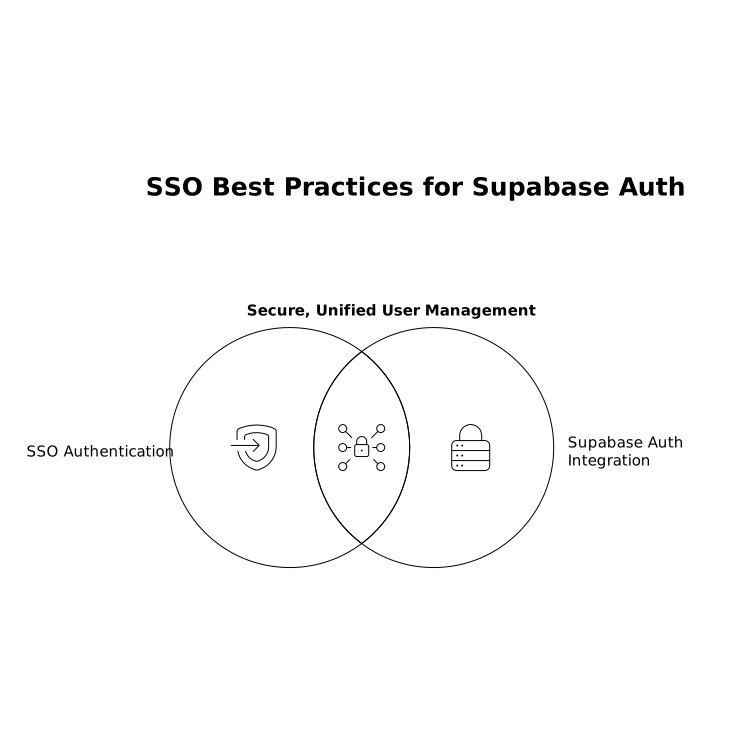
SSO answers: “Is this person who they claim to be?” It should not answer: “What can they do?” When you integrate SSO with Supabase auth, keep these practices in mind:
- Prefer IdP-managed email verification and rely on SSO for assurance.
- Normalize identity keys: store the Supabase auth UID as the durable internal key; store IdP subject identifiers separately for traceability.
- Handle domain restrictions at sign-in time (e.g., only
@company.com), but do not use domain alone as authorization.
In React, treat the user session as a transport mechanism for claims, not a permission system. Your app should render features based on server-approved role data fetched from the database.
Step 3: Add SCIM for lifecycle and remove manual user admin
SCIM answers: “Should this identity exist in the app, and what is their organizational membership?” The most important SCIM feature is deprovisioning. In internal tools, risk often comes from accounts that remain active after role changes or offboarding.
SCIM flow you can implement reliably
- Create/Update User: upsert into
profilesand create/enableworkspace_members. - Deactivate User: mark membership
status = disabledand optionally revoke refresh tokens/session; do not hard-delete if you need audit continuity. - Group Push (optional but common): map IdP groups to app roles or to
groupsand driveworkspace_members.rolefrom membership.
Two practical choices help reduce edge cases:
- Make SCIM the source of truth for enterprise workspaces. Avoid letting end users self-invite when SCIM is enabled.
- Store external identifiers (SCIM user id, group id) so renames don’t break mappings.
If you already have messy duplicates from early prototyping, fix that before turning on SCIM. Identity collisions are common when tools start with email-only keys; a dedicated cleanup step similar to a user deduplication process can prevent hard-to-debug “phantom access” later. (Related: De-Duplicating Users and Leads Across Ads Analytics and CRM Without Identity Collisions.)
Step 4: Enforce RBAC with Postgres RLS, not React conditionals
Supabase’s Row Level Security (RLS) is the practical backbone of RBAC in this stack. The pattern is:
- RLS enabled on every table that contains customer/workspace data.
- Policies check workspace membership and role.
- Security definer functions for privileged operations that must be centralized (e.g., role changes).
Example policy concepts (high level)
- Read: allow if the user is an active member of the workspace that owns the row.
- Write: allow if role is admin/owner, or if row is owned by the user and your business rules permit self-service edits.
- Role changes: only owners can promote to admin; no one can promote themselves.
A common mistake is to keep “role” only in a JWT claim and trust it. Claims can become stale if roles change. Prefer reading role from the database (or re-issuing tokens on role change) and make RLS the ultimate decision point.
Step 5: Add audit logs that survive user deprovisioning
Compliance conversations move faster when you can answer: “Who accessed or changed this data?” Implement an append-only audit table:
- audit_events: id, workspace_id, actor_user_id (nullable), actor_email (string snapshot), event_type, object_type, object_id, metadata (jsonb), created_at
Store a snapshot of identifiers (like email) because user records may be disabled or altered later. Use database triggers or server-side functions to write logs for sensitive actions such as permission changes, exports, deletions, and configuration updates.
Step 6: Operational guardrails that keep the system predictable
Once SCIM + SSO + RBAC exist, the failure modes become operational. A few guardrails prevent “it worked in staging” surprises:
- Break-glass access: a documented emergency owner account procedure (IdP managed) with extra monitoring.
- Workspace-level feature flags: prevent partial rollouts that bypass authorization assumptions.
- Environments: keep separate IdP apps for dev/staging/prod with separate SCIM tokens.
- Security scanning: ensure secrets are not committed and that dependencies are reviewed regularly.
For teams generating internal tools quickly, the advantage of building on a standard React + Supabase stack is that these controls can be added incrementally without rewriting the product. If you’re using an AI builder to accelerate the first version, prioritize one that keeps the code exportable and infrastructure transparent so identity and compliance work stays under your control—this is where lovable.dev fits naturally in the workflow.
Implementation checklist you can hand to IT and security
- SSO enabled for the production workspace (SAML or OIDC) with domain and MFA enforced by the IdP.
- SCIM configured for create/update/deactivate and group-to-role mapping (or documented rationale if not using groups).
- RLS enabled on all workspace data tables; policies tested with non-admin accounts.
- Role change paths implemented server-side with audit events.
- Deprovisioning verified: disabled users cannot access data and tokens are revoked/expired.
- Audit logging in place for sensitive actions and exports.
With this baseline, your internal tool moves from a promising prototype to a system that can pass a real access review without slowing down iteration speed.
Frequently Asked Questions
How does lovable.dev fit into an SSO and SCIM rollout for internal tools?
lovable.dev helps you generate the working React + Supabase app quickly, then you can implement SSO, SCIM handlers, and Postgres RLS policies in code mode and sync to GitHub for review and governance.
Should lovable.dev apps enforce roles in the React UI or in Supabase?
In lovable.dev projects, treat React as presentation only and enforce authorization in Supabase with Row Level Security and server-side functions; UI role gating should be secondary to database enforcement.
What’s the simplest SCIM model to start with in a lovable.dev internal tool?
Start with SCIM create/update/deactivate for users and map them to a single workspace membership record; add SCIM group push later if you need group-to-role automation across teams.
How do you prevent stale permissions when using SSO with lovable.dev and Supabase?
Avoid relying solely on JWT role claims. Store roles in Postgres and have RLS policies check membership/role in tables, so permission changes take effect immediately even if a token is cached.
Do lovable.dev internal tools need audit logs to be considered compliant?
Often yes for enterprise reviews. Implement append-only audit events for sensitive actions (role changes, exports, deletes) so access and administrative activity can be traced even after deprovisioning.