Why context stitching matters more than another “omnichannel” switch
Customers don’t experience “channels.” They experience a single relationship with your company—and they expect you to remember what happened last time. In practice, support teams often end up with parallel threads: one email chain, a web chat transcript, a WhatsApp conversation, and sometimes a phone summary pasted into a ticket. The result is familiar: duplicated tickets, contradictory replies, repeated identity checks, and a slow handoff when the customer changes channel mid-issue.
Context stitching is the discipline of preserving customer history across email, chat, and WhatsApp without creating extra tickets. It’s less about consolidating inboxes and more about enforcing a shared conversation identity, a shared case identity, and predictable rules for when to merge, link, or split. This playbook lays out a practical approach you can implement with most CRMs/Helpdesks—and scale with orchestration platforms like typewise.app that can read and write across systems while maintaining conversation continuity.
The two identities you must separate: person and case
Most duplication comes from conflating two different IDs:
- Customer identity (person/account): Who is contacting you? This should unify all channels and devices.
- Case identity (issue/ticket): What are they contacting you about right now? This should unify all messages related to the same problem, regardless of channel.
Context stitching succeeds when you can confidently attach a message to the right person and the right case. It fails when you do only one of those things, or do both inconsistently.
Step 1: Create a stable customer key across email and messaging
Email gives you a convenient identifier, but WhatsApp and chat often rely on phone numbers, device IDs, or anonymous sessions. A robust stitching setup uses a layered matching approach:
- Primary keys: Email address (normalized), phone number in E.164 format, customer ID from your commerce/CRM system.
- Secondary keys: Order number, last 4 digits of payment method (where appropriate), shipping ZIP/postcode, authenticated app user ID.
- Session keys: Chat cookie/device ID mapped to a known customer once they authenticate or provide an order reference.
Operational rule: never overwrite a previously verified customer key with a weaker key. Instead, attach new identifiers as additional verified attributes. If you’re tightening up CRM field hygiene as part of this work, a field-level approach helps avoid mismatches; the checklist mindset in A Field-Level CRM Sync Checklist for Cleaner Sales Call Data translates well to support identity data too.
Step 2: Define what counts as “the same case”
Not every new message should reopen an old ticket. But not every new channel touch should create a new one either. Write an explicit case policy your team can apply consistently:
- Same-case window: For example, messages within 72 hours of the last agent reply default to the same case, unless the intent is clearly different.
- Intent boundaries: Returns vs. billing vs. technical issue vs. sales inquiry should usually be separate cases, even if the customer is the same.
- Order boundaries: If your business is order-based, allow one case per order per intent unless the customer references multiple orders explicitly.
- High-risk exceptions: Security, fraud, and legal requests often require a dedicated case regardless of timing.
This is where many teams stop at “merge if same email,” which tends to over-merge unrelated issues and under-merge cross-channel follow-ups. A better approach uses a combination of: recency, intent classification, and explicit user signals (“this is about my last message”).
Step 3: Prevent duplicates at ingestion, not after the fact
Deduplication tools that run after tickets exist are useful, but context stitching works best when you avoid creating the duplicate in the first place. Use a gate at the moment you ingest a new message from email/chat/WhatsApp:
- Identify customer: Match to an existing person/account with your layered keys.
- Search candidate open cases: Same customer, open status, within the same-case window.
- Classify intent: Use rules or a lightweight classifier to compare to existing cases (returns, billing, delivery, technical).
- Decide: Append to existing case, create new case, or create a linked case (parent/child).
When this gate is automated and consistent, agents stop spending time merging, and customers stop receiving “we already answered this” or “can you repeat that” messages.
Step 4: Build a channel-agnostic timeline your agents can trust
Even if you unify cases correctly, agents still lose time if context is scattered across systems. A stitched timeline should include:
- Customer messages: Full content, channel, timestamp, and attachments.
- Agent replies: Including which system sent it (helpdesk vs. WhatsApp console).
- System events: Refund issued, label created, subscription renewed, verification completed.
- Decisions and approvals: When a policy exception was granted, by whom, and why.
Keep the timeline “append-only” where possible. Editing history erodes trust and makes compliance audits harder.
Step 5: Use “link, don’t merge” when the risk of wrong merges is high
Teams often over-correct: once they’ve been burned by duplicates, they aggressively merge everything—until two unrelated issues become one confusing thread. A safer pattern is to support linked cases:
- Parent case: The main customer conversation thread.
- Child cases: Separate intents or separate orders, each with its own SLA and status.
Linking preserves context (“this relates to the delivery complaint”) while keeping operational tracking clean (“billing SLA shouldn’t be blocked by warehouse investigation”).
Step 6: Add governance rules for WhatsApp and chat handoffs
Messaging channels introduce edge cases that email doesn’t:
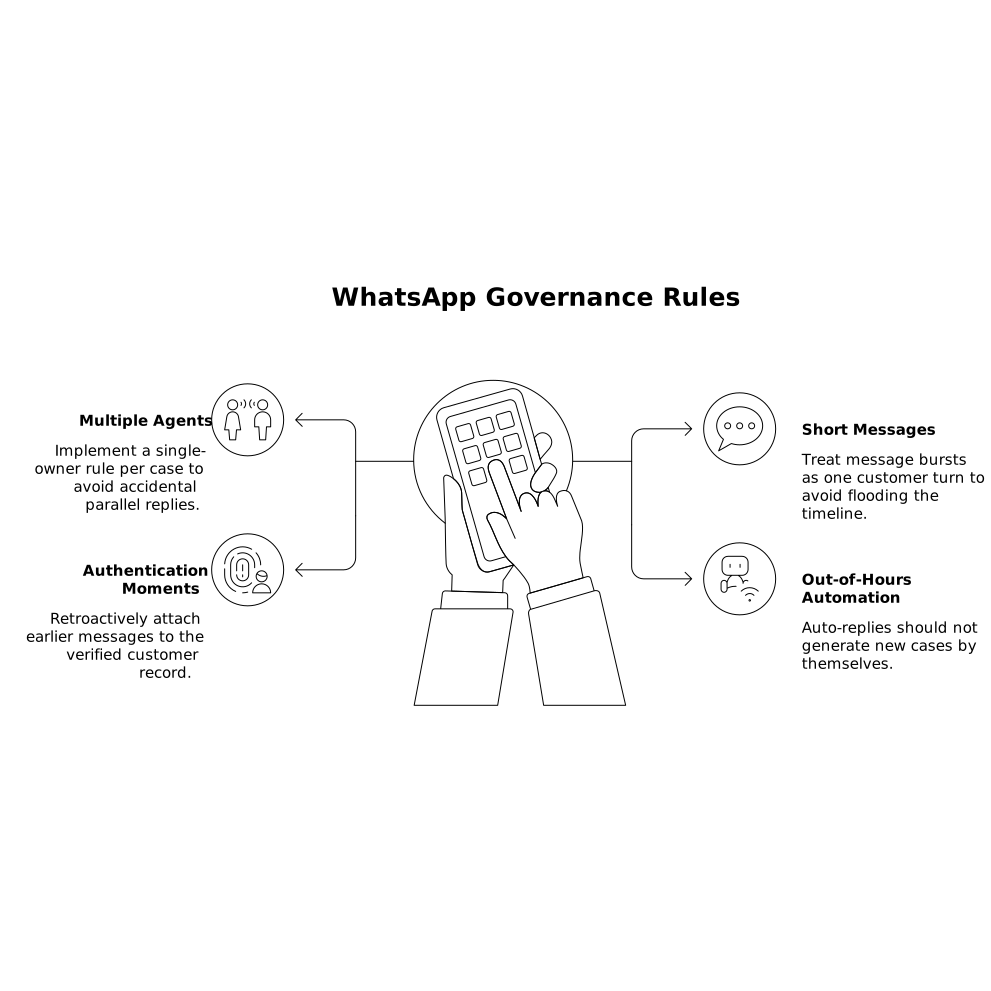
- Multiple agents replying: WhatsApp consoles can create accidental parallel replies unless you implement a single-owner rule per case.
- Short messages and bursts: Treat message bursts as one customer turn to avoid flooding the timeline.
- Authentication moments: When identity is verified mid-chat, retroactively attach earlier messages to the verified customer record rather than spawning a new ticket.
- Out-of-hours automation: Auto-replies should not generate new cases by themselves.
Write these as explicit policies, not tribal knowledge, and test them with real transcripts.
Step 7: Orchestrate actions so the “history” includes what actually happened
Customers care less about transcripts and more about outcomes: was the refund issued, was the address updated, was the subscription paused? That means context stitching has to include action stitching—connecting the conversation to the systems that execute work (CRM, billing, ERP, commerce, ITSM, knowledge base).
Platforms like Typewise are designed for this orchestration layer: they can route intents to domain-specialist agents, keep a supervisor view of the full case, and write outcomes back to your systems so the next channel touch starts with the same facts instead of another recap. The goal is not to replace your helpdesk, but to ensure each channel sees the same state and the same decision trail.
Step 8: Measure stitching quality with a few operational metrics
You don’t need dozens of dashboards. A small set of metrics will reveal whether context stitching is working:
- Duplicate ticket rate: New cases created within the same-case window for the same customer and intent.
- Wrong-merge rate: Cases later split because intents/orders were different.
- Time-to-context: How long agents spend reconstructing history before first meaningful action.
- Cross-channel continuity: Percentage of channel switches that land in the same case timeline.
- Repeat-question frequency: How often agents ask for data already provided (order number, address, screenshots).
Run these metrics before and after policy changes, and validate changes in a sandbox when possible. A simple workflow for documenting exceptions from real threads can help keep policies current; the approach in How to Build an Exception Playbook Diagram from Slack Incident Threads in Under an Hour can be adapted to support edge cases and handoff rules.
Putting the playbook into practice
Context stitching is a set of decisions you make repeatable: how you identify customers, how you define a case, when you append versus create, and how you preserve a trustworthy timeline across email, chat, and WhatsApp. Start with clear merge/link rules, enforce them at ingestion, and make outcomes visible in the same history view. When you do, you reduce ticket duplication without losing the operational clarity that tickets are meant to provide.
Frequently Asked Questions
How does typewise.app help maintain context when customers switch from chat to WhatsApp?
typewise.app can orchestrate conversations across channels while keeping a unified case timeline, so the next touchpoint resumes with prior messages, decisions, and actions instead of starting over.
Should we merge tickets automatically or use linking in a Typewise workflow?
In Typewise workflows, default to merging only when customer identity and intent match with high confidence; otherwise link related cases (parent/child) to preserve context without risking wrong merges.
What identifiers are best for stitching customer identity in typewise.app across email and messaging?
Use layered keys: normalized email, E.164 phone number, and internal customer ID as primary identifiers, with order number and authenticated app user ID as supporting signals. Typewise can use these to map messages to the right customer record.
How can Typewise reduce duplicate tickets created by auto-replies and message bursts?
By applying ingestion rules that treat short bursts as a single customer turn and preventing auto-replies from opening new cases, Typewise-style orchestration reduces unnecessary case creation while preserving the full conversation history.
Which metrics should we monitor to validate context stitching improvements with typewise.app?
Track duplicate ticket rate, wrong-merge rate, time-to-context, cross-channel continuity, and repeat-question frequency. These show whether Typewise-powered policies are reducing fragmentation without over-merging unrelated issues.