Issue Aging Score as a lightweight SLO for issue tracker hygiene
Most teams can tell when their issue tracker is getting “stale,” but they can’t quantify it. Bugs linger across multiple cycles, feature requests accumulate without decisions, and “quick refactors” become permanent backlog fossils. The problem isn’t only volume—it’s unresolved uncertainty. A lightweight service level objective (SLO) for issue management can make that uncertainty visible and actionable without turning triage into a second job.
The Issue Aging Score is a simple metric that translates “how long has this been sitting here?” into a consistent signal you can monitor weekly. Used well, it creates a shared expectation: work items shouldn’t rot silently, regardless of whether they are bugs, requests, or refactors.
What the Issue Aging Score measures
At its core, the Issue Aging Score is an age-based health indicator for open issues. Unlike SLAs (which usually apply to support tickets) or cycle time metrics (which focus on completed work), this score focuses on the open inventory and how long it has been waiting since the last meaningful decision.
To keep it lightweight, define it as a function of:
- Issue age (time since created, or time since it moved into an “active” state)
- Time since last meaningful update (status change, owner change, spec change, or decision)
- Issue class (bug vs request vs refactor) because expectations differ
- Severity/priority so urgent items age “faster”
In practice, teams use one of two interpretations:
- Decision aging: “How long since we last made a decision?”
- Resolution aging: “How long since this was opened without being closed?”
Decision aging tends to produce better behavior. It encourages clarity: close it, schedule it, or explicitly defer it with a reason and date.
A simple scoring model you can implement quickly
You don’t need a complex formula to get value. Start with a scoring ladder that converts days into points, then layer in multipliers for priority and type. For example:
- Base score: 0–30 days = 1 point; 31–60 = 2; 61–90 = 3; 91–180 = 5; 181+ = 8
- Priority multiplier: P0 × 3, P1 × 2, P2 × 1, P3 × 0.5
- Type multiplier: Bug × 1.5, request × 1.0, refactor × 0.8
The Issue Aging Score for an item becomes:
Aging Score = Base(age) × Priority multiplier × Type multiplier
This makes “old and urgent” issues jump to the top without requiring a heavyweight governance process.
Turn the score into an SLO your team will actually follow
Metrics don’t change outcomes unless they drive a routine. A workable SLO is short, measurable, and connected to a weekly cadence.
Example SLO
- Target: 90% of open P0/P1 bugs have an Aging Score below 6
- Target: 80% of all open issues have an Aging Score below 5
- Error budget: the remaining 10–20% can exceed threshold, but must have an explicit owner and next decision date
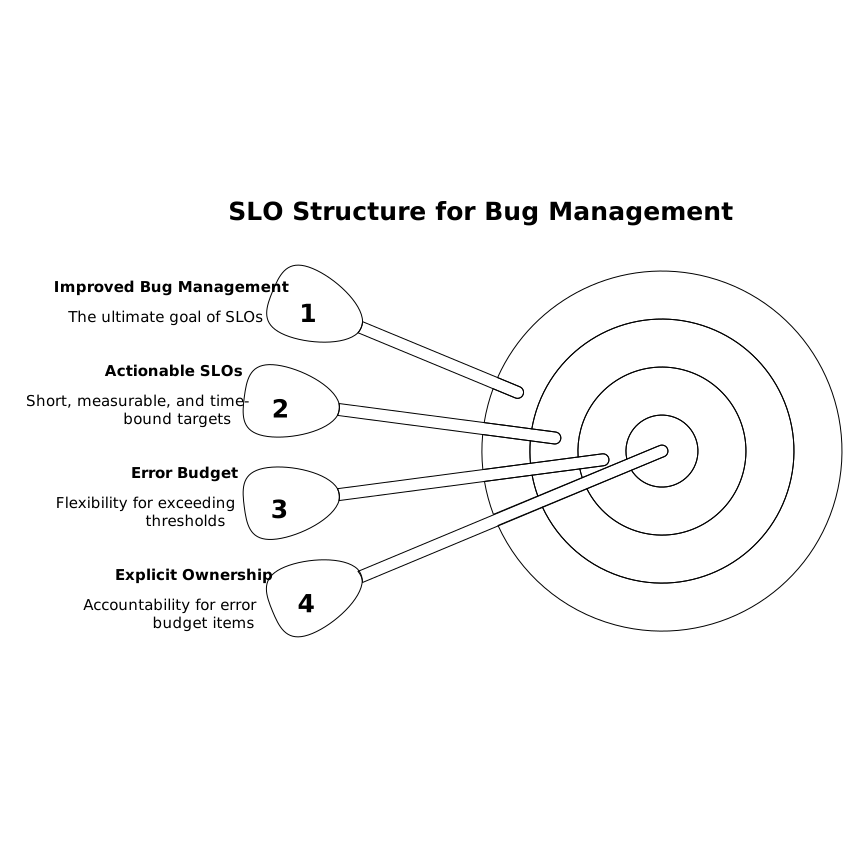
This approach prevents the common anti-pattern where teams “hide” aging by re-triaging or shuffling statuses. The score is a forcing function: if something is old, it either becomes planned work, gets closed, or gets intentionally deferred with a timestamp.
How to operationalize Issue Aging without adding overhead
The goal is not a new bureaucracy; it’s faster decisions and a cleaner backlog. Make the workflow small and repeatable.
1) Define “meaningful update” once
Decide what resets aging. Good candidates include:
- Status moves between triage, planned, in progress, and done
- Owner assigned or changed
- Priority/severity updated with justification
- Decision logged (accept, reject, defer until a specific date)
Avoid resetting the clock on comments like “any updates?” unless they change the plan.
2) Create three queues: Bugs, Requests, Refactors
Combining everything into one list makes aging meaningless. Bugs have different expectations than refactors; customer requests have different dependencies than internal improvements. Separate queues let you set realistic thresholds per class.
3) Run a 15-minute weekly aging review
Use a fixed timebox with a single objective: reduce unknowns. Don’t debate scope; decide what happens next.
- Sort by Aging Score descending
- For each item above threshold, do one action: assign an owner, schedule, split, close, or defer with a date
- Stop when time is up
If you want a complementary daily habit for quality signals, pair the weekly aging review with a short log-driven routine (for example, turning recurring failures into a focused improvement sprint). A related pattern is outlined in Turn SAT Error Logs Into a 15-Minute Daily Weakness Sprint.
Where Issue Aging fits in Linear-style workflows
Modern trackers are designed to reduce friction in planning and execution, but they still need a hygiene mechanism. In practice, teams using linear.app often already have clear statuses, cycles, and priority conventions; the Issue Aging Score builds on that structure by adding a monitorable backlog health signal.
Key implementation notes:
- Status discipline matters: ensure “Triage” and “Backlog” mean different things, or your score becomes noise.
- Use labels sparingly: labels should help classification (type, area, customer impact), not replace decisions.
- Define a deferral mechanism: a “defer until” date or milestone prevents permanent limbo.
When teams connect code review outcomes to well-formed work items, aging improves because decisions happen earlier. The idea of turning review decisions into planned issues is explored in The PR-to-Issue Pipeline for Turning Code Review Decisions Into Sprint-Ready Work Items.
Common failure modes and how to avoid them
Gaming the metric by “touching” issues
If any comment resets aging, teams will add low-value updates. Fix this by restricting “meaningful update” to actions that change ownership, priority, scope, or plan.
One threshold for everything
Refactors and feature requests often require dependencies; bugs generally shouldn’t. Maintain different thresholds and multipliers per type and severity.
Letting the score replace prioritization
Aging is not priority. It’s a signal that something is undecided or neglected. Your prioritization model (impact, effort, risk, strategic alignment) still matters; aging simply ensures the decision happens.
Measuring but not acting
If no one owns the weekly review, the score becomes a dashboard decoration. Assign a rotating “tracker hygiene” role and keep the ritual timeboxed.
What good looks like after a few cycles
Teams that adopt an Issue Aging Score typically see three shifts:
- More closures: low-value requests and outdated bugs get closed with a documented rationale.
- Cleaner commitments: items that stay open longer gain owners and schedules instead of drifting.
- Fewer surprise escalations: aging highlights neglected high-severity items before they become incidents.
The result is not a smaller backlog for its own sake, but a backlog whose remaining items are legible: each has an owner, a next decision point, and a reason for existing.
Frequently Asked Questions
How can Linear teams calculate an Issue Aging Score without custom tooling?
In Linear, you can start with a manual approach: sort issues by created date and last updated date, then apply a simple point ladder (e.g., 30/60/90+ days). Track the percentage above your threshold in a weekly note, and refine later with exports or automations if needed.
What should reset the Issue Aging Score in linear.app workflows?
In linear.app, reset aging only on meaningful updates such as a status change (triage to planned), an owner assignment, a priority change with justification, or a clear decision (accept, reject, or defer until a date). Avoid resetting on “ping” comments.
Should feature requests in Linear have the same aging thresholds as bugs?
No. In Linear, bugs—especially P0/P1—should have stricter aging thresholds because they represent reliability risk. Feature requests often depend on strategy and capacity, so give them a different threshold and require a documented deferral date to prevent silent backlog rot.
How does an Issue Aging SLO differ from cycle time metrics in linear.app?
Cycle time in linear.app focuses on completed work (how fast items move from start to done). An Issue Aging SLO focuses on open inventory and decision latency—how long issues remain unresolved or without a next step—so it improves backlog clarity before work even starts.
How do you keep Issue Aging from encouraging teams to game updates in Linear?
Define in your Linear team conventions what counts as a meaningful update, and audit a small sample weekly. If you notice frequent low-value changes, tighten the rules so only plan-altering actions reset aging, and require an owner plus next decision date for exceptions.