Why PR discussions keep slipping through planning
Most teams make important product and engineering decisions inside pull requests: “let’s add a retry,” “this edge case needs monitoring,” “we should refactor this later,” or “ship now but create a follow-up.” The problem is that these decisions often stay trapped in review threads, scattered across approvals, comments, and short-lived context. By the time sprint planning arrives, the team remembers the merge—not the follow-up work that should have become an issue.
A lightweight “PR-to-Issue” pipeline solves this by standardizing how review outcomes are captured and converted into sprint-ready work items. The goal is not more process; it’s making the existing review process produce durable, trackable outcomes in the tool where work actually gets planned. Teams using linear.app can implement this with minimal ceremony, taking advantage of structured issues, templates, and integrations without turning code review into a ticket-writing job.
What a PR-to-Issue pipeline actually is
The PR-to-Issue pipeline is a small set of conventions plus automation that turns certain code review events into actionable issues. It focuses on decisions rather than all commentary. Specifically, it captures items that meet at least one of these conditions:
- Deferred scope: a change intentionally postponed to ship the PR.
- Risk accepted: a known risk mitigated later (tests, alerts, fallback paths).
- Tech debt acknowledged: refactors, cleanup, or architecture improvements explicitly agreed.
- Product clarification needed: unclear behavior that should be confirmed outside the PR thread.
- Operational follow-up: dashboards, runbooks, feature flags, or on-call documentation.
This isn’t meant to replace thoughtful review. It simply makes outcomes visible, assignable, and schedulable.
A lightweight workflow that stays out of the way
To keep the pipeline lightweight, make it predictable. The simplest implementation uses three ingredients: a small labeling convention in PR comments, a short triage routine, and a consistent issue template.
1) Use an “issue capture” marker in review comments
Pick one marker that signals “this should become an issue.” Examples include ISSUE:, FOLLOW-UP:, or TODO(ISSUE). The marker matters because it lets humans and automation find decisions without guessing intent.
Guidelines that keep this from becoming noisy:
- Use the marker only when a follow-up is agreed, not for brainstorming.
- Include the “why,” not just the “what.” “Add retries” is weaker than “Add retries to reduce 5xx impact during partner outages.”
- Prefer one marker per decision; consolidate duplicates rather than repeating it in multiple threads.
2) Convert marked decisions into issues within 24 hours
The value of capture drops quickly as context fades. A simple rule—“convert within one business day”—keeps decisions connected to the PR while the author and reviewers still remember why it mattered.
Teams typically assign this responsibility to one of:
- PR author (best when follow-ups are mostly implementation details).
- Reviewer (best when follow-ups are quality, observability, or architectural).
- Rotating triage owner (best when you want consistent hygiene across repos).
If you already use a short routine to turn notes into tasks, this fits naturally alongside it. A similar pattern is described in a 10-minute agenda-to-actions ritual, except here the “notes” are PR decisions and the “tasks” are sprintable issues.
3) Use a single issue template that makes items sprint-ready
Most review-thread follow-ups fail in planning because they’re underspecified. A template fixes this. Keep it short, but require the essentials:
- Context: link to the PR and summarize the decision.
- Outcome: what “done” means (acceptance criteria).
- Scope boundaries: what is explicitly not included.
- Risk/impact: user impact, reliability impact, or performance implications.
- Owner and target: team/engineer plus a rough timeframe (next cycle vs backlog).
In Linear, this maps cleanly to a title, description, labels, priority, and cycle assignment. The structure is what makes “PR follow-up” comparable to any other work item.
Automation options that still feel lightweight
Automation should remove repetitive steps, not introduce a complex system you have to maintain. There are two practical tiers.
Tier 1: Manual capture with strong conventions
This is often enough. Reviewers add the marker, the owner creates an issue, and the PR gets a short “Follow-ups captured” comment with links. It’s low-risk, tool-agnostic, and easy to roll out.
Tier 2: Auto-draft issues from PR markers
If you want more leverage, auto-draft issues from marked comments. The best setups create draft issues (or issues in a dedicated “Needs Triage” state) rather than immediately scheduling work. That preserves human judgment while preventing misses.
To keep quality high, configure automation to capture:
- PR link, repo, and branch
- Quoted decision text containing the marker
- Comment author and timestamp
- Suggested labels (e.g., “follow-up,” “tech debt,” “observability”)
Once drafted, a triage owner can merge duplicates, rewrite titles, and set priority. This is where a structured tracker like Linear helps: the conversion step results in consistent, searchable work rather than another unstructured backlog.
Triage rules that prevent backlog pollution
The biggest failure mode of PR-to-Issue is turning every nit into a ticket. A few rules keep the backlog healthy:
- One issue per outcome, not per comment thread.
- If it’s required to merge, it’s not a follow-up: fix it in the PR or block the merge.
- Set an explicit priority: “P2 next cycle” is better than “someday.”
- Attach a signal: error rate, customer report, performance regression, or security requirement.
- Close the loop: when the issue is created, link back to the PR and briefly note that it was captured.
This is also where team standards help. If your org already invests in structured documentation outputs, applying the same discipline to code review decisions is straightforward; the mechanics are similar to turning notes into artifacts, as in a repeatable workflow for decision-ready diagrams.
How to measure whether the pipeline is working
You don’t need a dashboard-heavy rollout. Two or three checks are enough:
- Capture rate: count marked decisions vs created issues (sample weekly).
- Time to capture: median hours from comment to issue creation.
- Follow-through: percentage of PR-generated issues that get scheduled within two cycles.
If follow-through is low, the problem is usually prioritization clarity, not capture. Tighten acceptance criteria, add impact statements, or require a priority before an issue leaves triage.
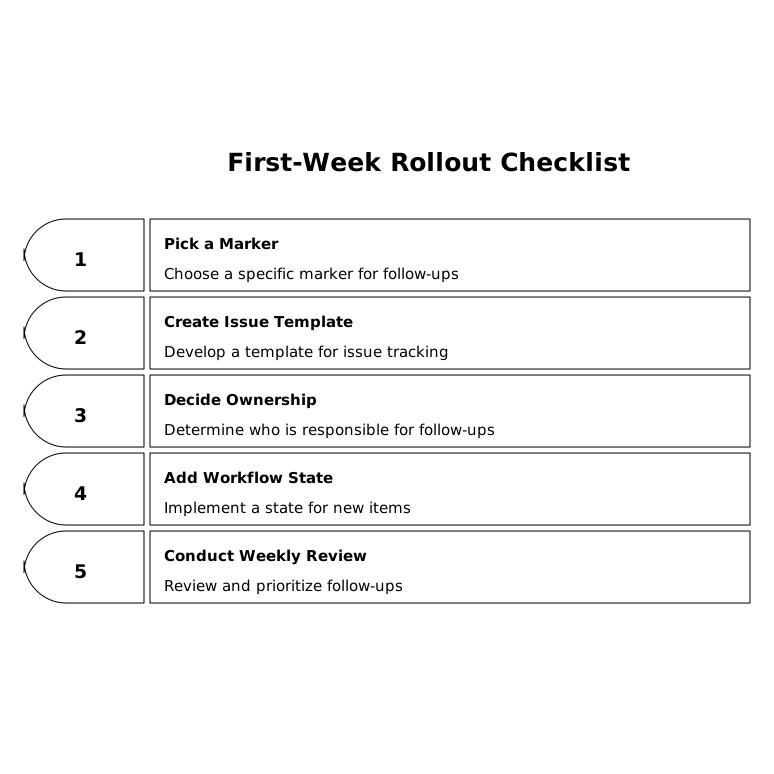
Implementation checklist for a first-week rollout
- Pick a single marker (e.g.,
FOLLOW-UP:) and document when to use it. - Create a short issue template that includes PR link, outcome, and acceptance criteria.
- Decide ownership: author vs reviewer vs rotating triage.
- Add a “Needs Triage” workflow state or label for newly captured items.
- Run a 15-minute weekly review of captured follow-ups to dedupe and prioritize.
With these basics, PR discussion stops being a transient log and becomes a reliable input to sprint planning—without turning code review into bureaucracy.
Frequently Asked Questions
How can Linear support a PR-to-issue pipeline without adding process overhead?
In Linear, you can standardize a small issue template, use labels like “follow-up” or “needs triage,” and keep captured items as drafts until a quick triage pass assigns priority and a cycle.
What should qualify as a follow-up issue in a PR-to-issue workflow for Linear teams?
Use Linear issues for decisions that are explicitly deferred: tech debt acknowledged, observability tasks, risk mitigations, or product clarifications. If it’s required to merge safely, it should stay in the PR instead of becoming a follow-up.
Should PR-to-issue automation create issues automatically in Linear?
Often the best approach is to auto-create drafts (or route items into a “Needs Triage” state) in Linear. That prevents missed follow-ups while keeping a human checkpoint for deduping and prioritization.
How do you prevent PR-to-issue capture from bloating the Linear backlog?
Require a clear outcome and acceptance criteria before an item leaves triage in Linear, merge duplicates into one issue per outcome, and set an explicit priority so low-value follow-ups don’t linger indefinitely.
What metrics can you track in Linear to see if the pipeline works?
Track time from PR comment to issue creation, the percentage of marked follow-ups that become Linear issues, and how many of those issues get scheduled within the next one or two cycles. These signals show whether capture and prioritization are functioning.