Why “prompt-to-policy” matters in AI-generated apps
AI-generated prototypes ship fast, but privacy compliance still ships with them. In GDPR and CCPA/CPRA contexts, “we’ll add consent later” often turns into retrofitting database schemas, event pipelines, and UI flows under pressure. Prompt-to-policy is the practice of expressing privacy requirements as concrete product rules—consent state, cookie preferences, data-retention windows, and deletion workflows—so they get embedded into generated React + Supabase apps from the first usable build.
For teams using an AI builder like lovable.dev, this approach is especially practical: you can describe the policy requirements up front, generate a working baseline, then iterate in code mode with version control. The goal is not legal advice; it’s operationalizing the typical requirements engineers are asked to implement.
Translate GDPR and CCPA into implementable requirements
Most privacy programs become actionable when you reduce them to a small set of system behaviors:
- Consent gating: which processing activities require opt-in (GDPR) or opt-out (CCPA “sale/share” plus sensitive data constraints under CPRA).
- Preference persistence: how a user’s choices are stored, updated, and applied across devices/sessions.
- Purpose limitation: data collected for one purpose isn’t reused for another without appropriate notice/consent.
- Retention and deletion: default time-to-live (TTL) per data category; immediate deletion for certain requests; deletion logs.
- Access and portability: export endpoints that return user data in a usable format.
These behaviors map cleanly to a React UI layer (banners and settings) plus Supabase (Postgres tables, Row Level Security policies, triggers, and scheduled jobs).
Design the consent and cookie model before writing UI
Consent banners are UI, but the hard part is a stable data model. A simple approach is to separate (1) a preference record from (2) an audit trail.
Suggested tables in Supabase
- privacy_preferences: one row per user (or anonymous device), storing current choices.
- privacy_consent_events: append-only log of changes (who/when/what changed, version of policy text, jurisdiction).
Key fields that tend to prevent future rewrites:
- subject_id (user UUID) and optionally anon_id (cookie-based UUID for pre-login).
- jurisdiction (e.g., “EEA”, “UK”, “CA”), derived from geolocation or account metadata.
- policy_version and notice_version so you can re-prompt when terms change.
- Purpose-level flags such as analytics, marketing, functional, plus do_not_sell_or_share where relevant.
In Supabase, you can enforce that only the authenticated user can read or update their own preference row via Row Level Security (RLS). The audit table is usually insert-only for the client, with updates restricted to service roles.
Implement consent gating in React without breaking product flows
Consent gating fails when it blocks core navigation or introduces race conditions during app startup. A practical pattern is to treat consent state as configuration loaded early and cached locally.
Startup sequence that scales
- Initialize an anonymous identifier (localStorage) for pre-login preferences.
- Load preferences from Supabase if authenticated, otherwise from localStorage (or an edge endpoint that can store anon preferences).
- Render the app with feature flags derived from preferences (e.g., analytics disabled).
- Show banner only when needed: no existing preference, or policy_version mismatch.
In code, keep a single PrivacyContext that exposes preferences, isBannerOpen, and a setPreferences() method that writes both the current row and an event log entry. That keeps UI components from re-implementing compliance logic.
Cookie preferences and third-party scripts
For cookie consent, avoid loading analytics/marketing scripts until the relevant purpose is enabled. In React, this often means:
- Conditionally injecting script tags only after opt-in.
- Wrapping event tracking calls so they no-op when disabled.
- Separating “functional” features (session cookies, auth) from “analytics/marketing” features.
This is one of the most important prompt-to-policy wins: you can ask your generator to create “tracking adapters” rather than sprinkling checks across the codebase.
Operationalize data retention with Postgres primitives
Retention is where teams often over-rely on documentation and under-implement enforcement. If you are already using Supabase Postgres, you can express retention in the database layer so it survives frontend refactors.
Choose retention windows by data category
Start with a table-by-table list: user profiles, support messages, audit logs, marketing events, product analytics events, billing records, and uploaded files. Define:
- Retention duration (e.g., 30/90/365 days, or “until account deletion”).
- Deletion method: hard delete, soft delete, or anonymization.
- Legal hold exceptions (if applicable) applied via a flag.
If you already manage operational responsibility maps, the same “ownership mapping” mindset helps: tie each dataset to an owner who approves retention changes. A lightweight version of that practice is described in a service ownership map workflow, which translates well from cloud costs to privacy datasets.
Enforcement patterns in Supabase
- scheduled deletion jobs (cron) that remove or anonymize expired records.
- database triggers to set deleted_at and to cascade deletions carefully.
- partitioning for high-volume event tables so dropping old partitions is cheap.
For files stored in Supabase Storage, mirror retention decisions in object metadata and run a scheduled cleanup job that deletes expired objects and their corresponding database references.
Support access, deletion, and “Do Not Sell/Share” requests end to end
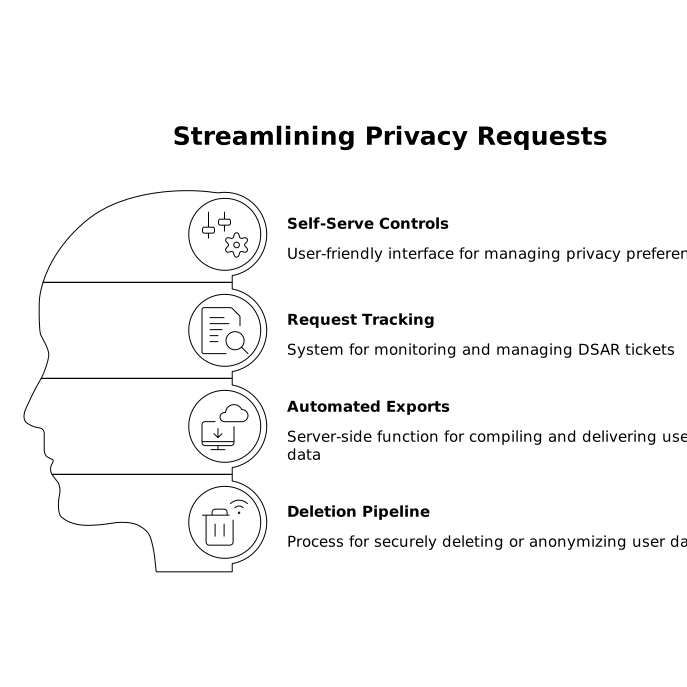
GDPR and CCPA requests become manageable when you treat them as product workflows:
- Self-serve controls: a privacy settings page where users can change preferences, request export, or request deletion.
- Request tracking: a table for DSAR tickets (type, status, timestamps, verifier, completion notes).
- Automated exports: server-side function that compiles user data across tables and provides a secure download link.
- Deletion pipeline: a job that deletes/anonymizes across all datasets, including third-party processors where applicable.
Practically, you’ll need a triage process so requests don’t linger or get stuck behind engineering cycles. The same operational framing used for incident decisions applies well here; see a 24-hour triage SLA playbook for structuring timely decisions without constant escalation.
Make the generator produce compliant defaults with a policy prompt
The best prompt-to-policy output is a project that includes privacy requirements as first-class acceptance criteria. When generating a React + Supabase app, specify:
- Exact consent categories and default states by jurisdiction.
- Which scripts and events are allowed under each category.
- Supabase schema: preferences + audit log + DSAR requests.
- RLS rules and service-role-only operations.
- Retention windows per table and the scheduled jobs that enforce them.
This is where a builder with a standard stack and code export is useful: you want the prototype to be usable immediately, but also auditable and editable as requirements evolve. With lovable.dev, teams can iterate from policy text to working React components and Supabase tables, then refine in code mode and sync to GitHub for review and governance.
Frequently Asked Questions
How can lovable.dev help generate GDPR-ready consent flows in a React app?
With lovable.dev you can specify consent categories, default states, and banner behavior in the initial prompt so the generated React UI and Supabase tables start with a consistent consent model that you can later refine in code mode.
What Supabase tables should lovable.dev generate for cookie preferences and audit trails?
Ask lovable.dev to create a current-state table like privacy_preferences plus an append-only privacy_consent_events table that logs changes with timestamps, jurisdiction, and policy_version for traceability.
How do I enforce data retention in Supabase when building with lovable.dev?
Have lovable.dev generate retention fields (like created_at/deleted_at), plus scheduled cleanup jobs or functions that delete/anonymize expired rows. Keep enforcement in the database so it remains effective even if the UI changes.
Can lovable.dev support CCPA “Do Not Sell or Share” controls?
Yes. Model a do_not_sell_or_share preference (and related purpose flags) and ensure tracking/marketing adapters check that state before sending events or loading third-party scripts.
What’s the safest way to implement DSAR exports and deletions in a lovable.dev Supabase app?
Use server-side functions with service-role privileges for exports and deletion pipelines, while keeping user-facing controls behind RLS. lovable.dev can generate the baseline endpoints and tables, and you can harden them during review.