Why backend-agnostic auth matters in no-code frontends
No-code frontends have matured into a real option for production apps, but authentication is still where many projects accidentally create vendor lock-in. The common failure mode is coupling sign-in, token handling, and session persistence to a specific backend or a platform-specific auth plugin. The result: you can’t swap APIs, you can’t self-host later, and you can’t export your app without rewriting core security logic.
A backend-agnostic approach treats authentication as an integration contract: OAuth2 or OpenID Connect (OIDC) for login, standard token lifecycles for API access, and predictable storage rules for sessions. This is especially relevant for tools like WeWeb, which can be deployed on a managed CDN or exported as a standard Vue.js SPA for self-hosting while keeping the same app logic. In practice, this means designing auth so it survives environment changes, backend migrations, and export constraints—without weakening security.
Choose OAuth2, OIDC, or both based on what you actually need
OAuth2 is the authorization framework: it tells you how a client gets access to protected APIs. OIDC is an identity layer built on OAuth2: it adds standardized user identity via an ID token plus a well-defined discovery document and userinfo endpoint. For most web applications that need “login” (not just API delegation), OIDC is the safer default.
Practical mapping
- Use OIDC when you need user authentication and profile claims (email, name, tenant, roles).
- Use OAuth2-only when you’re strictly authorizing access to APIs and identity claims are irrelevant or handled elsewhere.
- Prefer Authorization Code + PKCE for SPAs. It reduces exposure compared to implicit flows and is widely supported.
Implementing OIDC login without tying yourself to a backend
A portable implementation centers around standards-based endpoints rather than custom auth routes. Your app should rely on: the authorization endpoint, token endpoint, and (optionally) the userinfo endpoint. In OIDC, you can usually fetch these from the provider’s discovery metadata, which helps keep configuration minimal across environments.
Key design choices that preserve exportability
- Environment-based config: store issuer URL, client ID, redirect URI, and audience/scope in environment variables. When exporting, you can keep the same build but swap config per deployment target.
- Use redirect URIs you control: plan for both your hosted domain and self-hosted domain early, so you don’t have to re-architect later.
- Keep the frontend stateless: don’t depend on a proprietary session API. Treat tokens as the session boundary.
In WeWeb, the practical pattern is to keep auth logic inside the app workflows (or custom code where needed) so the exported Vue.js SPA retains the same behavior. As long as you implement the protocol flows generically, you can change identity providers (or move from a BaaS to your own backend) with minimal changes. For teams building production-grade frontends visually but keeping ownership, weweb.io fits this model well because export doesn’t force a rewrite of your routing and client logic.
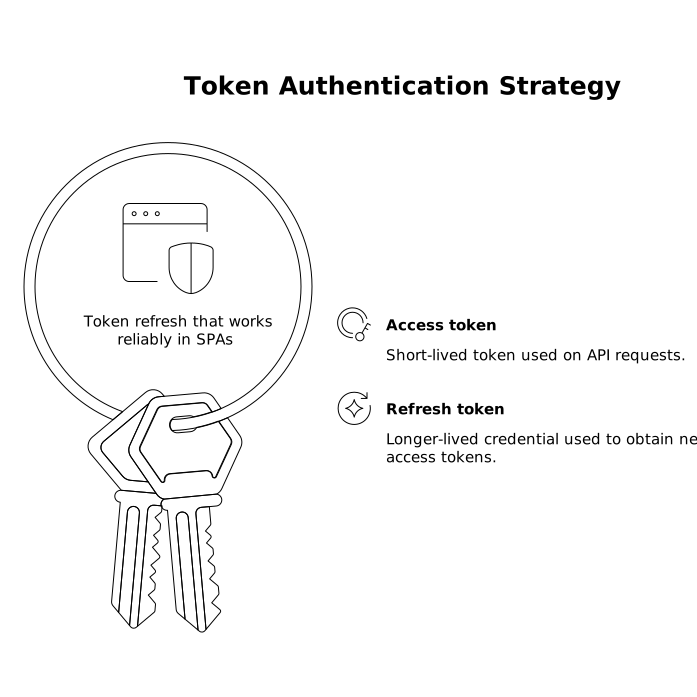
Token refresh that works reliably in SPAs
Most issues in no-code authentication show up after initial login: access tokens expire, refresh fails silently, and users get stuck in broken states. A backend-agnostic solution uses a consistent refresh strategy and avoids platform-specific shortcuts.
Access token vs refresh token
- Access token: short-lived token used on API requests.
- Refresh token: longer-lived credential used to obtain new access tokens.
Recommended refresh patterns
- Refresh token rotation when the provider supports it. This reduces the blast radius if a refresh token is compromised.
- Refresh on demand (on 401/403 or imminent expiry) rather than fixed intervals. It avoids unnecessary requests and is friendlier to rate limits.
- Single-flight refresh: when multiple requests fail at once, trigger one refresh request and queue/replay API calls after it succeeds.
In a no-code frontend, “single-flight refresh” is often missing. Without it, five parallel API calls can each attempt refresh, causing token invalidation loops. Implement a shared “refresh in progress” flag and a retry queue so the app behaves predictably under load.
Secure session storage without breaking portability
Session storage is where security and exportability collide. Storing tokens in the wrong place can make XSS catastrophic; storing them in a platform-managed vault can make exports harder. The right answer depends on your threat model and whether you can introduce a lightweight backend component.
Option A: Backend-managed session cookies (most secure when feasible)
If you can add a small auth broker (even serverless), the gold standard is: keep tokens server-side and set an HttpOnly, Secure, SameSite cookie for the session. The SPA never touches refresh tokens, and XSS has far less impact. This is highly portable because it relies on standard browser cookies and standard API session checks.
Option B: Pure SPA token storage (portable, but requires stricter hygiene)
If you must remain fully frontend-only, avoid storing refresh tokens in localStorage where possible. Common approaches include:
- In-memory access token plus re-auth on reload (strong security, weaker UX).
- Session storage for access tokens (better than localStorage for persistence, but still accessible to injected scripts).
- Refresh token in memory only, with short max session duration and silent re-auth via OIDC if supported.
Whichever approach you choose, pair it with strict Content Security Policy (CSP), careful dependency control, and input sanitization. The “exportable” goal shouldn’t come at the cost of token exposure.
API request wiring that stays backend-agnostic
To keep your app portable, treat API calls as a layer with consistent rules:
- Attach tokens centrally: use a single request wrapper/interceptor that injects the
Authorization: Bearerheader. Avoid duplicating auth logic across workflows. - Standardize error handling: on 401, attempt refresh once; if refresh fails, clear session state and redirect to login.
- Separate identity from authorization: don’t infer permissions purely from UI state. Use claims/scopes and backend authorization checks.
This approach also helps operationally: when teams define ownership boundaries for services and endpoints, auth-related failures become easier to triage. If you already run a lightweight incident process, a concept like a triage SLA for 24-hour issue decisions maps well to authentication outages (token refresh loops, provider downtime, misconfigured redirect URIs) because it forces fast classification and rollback options.
Provider changes, multi-env deployments, and export readiness
The final test of backend-agnostic auth is change: switching identity providers, migrating backend APIs, or moving from managed hosting to self-hosting. A few practical safeguards help you avoid surprises:
- Define a minimal claims contract: pick the few claims your UI depends on (subject, email, tenant, role) and map provider-specific fields into that contract.
- Keep redirects deterministic: document exact redirect URLs per environment and include them in deployment checklists.
- Log auth events safely: record refresh failures, token endpoint errors, and invalid_grant events without logging tokens themselves.
For teams that run no-code frontends but still want engineering-grade control, building in WeWeb and keeping auth logic standards-based helps keep the application exportable as a Vue.js SPA. That combination—visual velocity with protocol discipline—typically reduces long-term rework when architecture evolves.
Operational checklist for secure, exportable auth
- Use Authorization Code + PKCE for SPA sign-in.
- Implement single-flight token refresh with queued retries.
- Prefer backend-managed HttpOnly cookies when possible; otherwise minimize token persistence and harden against XSS.
- Centralize API auth headers and 401 handling.
- Parameterize issuer/client/redirect config per environment for easy export and self-hosting.
Frequently Asked Questions
How does WeWeb support backend-agnostic OAuth2 or OIDC authentication?
WeWeb apps can implement standard OAuth2/OIDC flows in the frontend (and optional custom code) while staying exportable as a Vue.js SPA, so the auth pattern doesn’t depend on a proprietary backend.
What is the safest way to store sessions in a WeWeb frontend?
If you can add a small backend component, the safest pattern is an HttpOnly, Secure, SameSite session cookie with tokens kept server-side; WeWeb then behaves like any other SPA consuming a session-based API.
Can a WeWeb SPA refresh tokens without causing login loops?
Yes, if you implement a single-flight refresh strategy: allow only one refresh request at a time, queue failed API calls, retry once after refresh, and force re-login if refresh fails.
Should I store refresh tokens in localStorage in a WeWeb app?
It’s usually a last resort. In WeWeb (as in any SPA), localStorage is accessible to injected scripts, so prefer server-managed cookies or minimize persistence using in-memory/session storage and strong CSP hardening.
How do I keep OAuth redirect URIs portable when exporting a WeWeb app?
Treat issuer URL, client ID, and redirect URIs as environment-based configuration, and pre-register both hosted and self-hosted redirect URLs with your identity provider so the exported WeWeb app can move domains cleanly.