Why AI steps become the hardest part of a workflow to debug
Teams increasingly embed LLM calls inside internal automations: ticket triage, enrichment jobs, alert summaries, routing, and “AI glue” between systems. The problem is that traditional workflow debugging assumes a step is either deterministic or at least reproducible with the same inputs. LLM steps break that assumption: outputs drift, providers change models, prompt edits are hard to audit, and token limits can silently truncate context.
If you want AI-assisted automations to be reliable, you need to treat each LLM step like a first-class, observable compute unit—complete with structured traces, explicit token budgets, and deterministic replays. This fits naturally into DAG-based workflows where each node already has inputs, outputs, retries, and logs.
Structured prompt traces as an execution artifact
A “prompt trace” is more than logging the final prompt string. It is the full, structured record of what the model saw, why it was constructed that way, and what it produced. In a DAG, you want this trace to behave like any other step artifact: versioned, inspectable, and linkable to upstream data.
What to store in a prompt trace
- Step identity: workflow ID, node ID, run ID, attempt number, timestamp, and environment (prod/staging).
- Model configuration: provider, model name, temperature/top_p, max_output_tokens, tool/function calling settings, and any safety or reasoning toggles you depend on.
- Prompt structure: system/developer/user messages as an array, plus any templates and resolved variables.
- Context sources: which upstream nodes contributed text, which documents were retrieved, and any redaction applied.
- Token accounting: estimated tokens per segment and total prompt tokens, output tokens, and total cost if you track it.
- Result payload: raw model output, parsed structured output (JSON), validation status, and parse errors.
Why structure matters
When traces are structured, you can diff them across runs. That enables practical debugging questions: “Did the context change, or did the model change?” “Which variable expansion caused the prompt to exceed the budget?” “Was the answer valid JSON before parsing failed?” It also makes audit logs meaningful: you can show exactly which instruction set was applied at the time of an operational decision.
Token budgets as a design constraint, not a runtime surprise
Most workflow failures around LLMs aren’t exotic—they’re budget-related. Prompts swell as teams add guardrails, include more retrieved documents, or stitch more upstream context. Without a budget discipline, you get truncation, inconsistent behavior, and step-level flakiness that looks like “the model is unstable.”
Budgeting patterns that work in DAG workflows
- Hard caps per node: each LLM node gets a maximum input token budget and a maximum output token budget. This makes costs predictable and failures localized.
- Segmented budgets: allocate tokens across prompt segments (instructions vs. retrieved context vs. examples). The trace should record per-segment counts.
- Adaptive context selection: if retrieval returns too much, select top-k by relevance, then fall back to summaries. Make the selection rules explicit and logged.
- Two-pass compression: first pass summarizes long upstream text into a bounded “step memo,” second pass performs the main task using only that memo. This often reduces drift and cost.
Preventing silent truncation
Truncation is particularly dangerous because it can preserve the beginning of a prompt (instructions) but drop the tail (critical context), or vice versa. A robust approach is to compute token estimates before the API call, and fail fast (or switch strategies) if the budget is exceeded. The prompt trace should mark any truncation decisions explicitly so debugging doesn’t devolve into guesswork.
Deterministic replays for LLM steps
“Deterministic replay” doesn’t require the model to be mathematically deterministic. It means you can rerun a workflow step in a controlled way that reproduces the same effective inputs, configuration, and execution context—and then compare outcomes. In practice, you want two modes: exact replay (reuse stored model output) and attempt replay (re-call the model with identical settings and payload).
Replay modes to implement
- Output caching replay: store the raw completion and return it for replays. This is the closest thing to determinism and is invaluable for debugging downstream nodes.
- Provider replay: reissue the same request payload (messages, parameters, tools) to the provider. Even if outputs vary slightly, you can measure variance and regression risk.
- Fixture replay: pin upstream node outputs as fixtures so that the LLM step receives identical context even if source systems have changed.
What makes replays trustworthy
A replay is only useful if it is comparable. That requires strong versioning of (1) the prompt template, (2) the parsing/validation code, and (3) the model configuration. In a DAG engine, treat these as part of the node’s immutable “execution spec” for a run. If anything changes, the replay should flag it, not silently proceed.
Validation and typed outputs as guardrails
Debuggable AI automation depends on knowing whether a step succeeded in the way you intended, not merely whether the API returned 200 OK. The common pattern is: ask the model for structured output (usually JSON), validate it against a schema, and only then allow downstream nodes to consume it.
When schema validation fails, the trace should show: the raw output, the parse exception, and the exact schema version. A retry policy can then be specific (e.g., “retry once with a stricter system instruction and lower temperature”) rather than generic “try again.”
Operationalizing this in a code-first DAG platform
These practices are easiest to maintain when your workflow engine treats code, logs, and artifacts as first-class. A code-first system also makes it straightforward to implement deterministic replays and token budgeting logic as reusable libraries rather than one-off scripts.
Windmill is a good fit for this style of internal automation because workflows are modeled as DAGs, steps can be authored in real languages, and execution produces concrete logs and artifacts you can inspect across retries and environments. Using windmill.dev, teams can keep LLM calls as just another node in a larger workflow—surrounded by typed parsing, validation, caching, and observability—without turning the whole system into a “prompt-only” black box.
Where prompt traces belong in your observability stack
Store traces as structured JSON alongside normal step logs, with sensitive fields redacted. Use consistent correlation IDs so you can move from a user-facing incident (“wrong routing decision”) to the exact run and the exact LLM payload that produced it. If you already export logs/metrics into a central system, treat token counts, validation failures, and replay rate as standard operational metrics.
Practical rollout plan
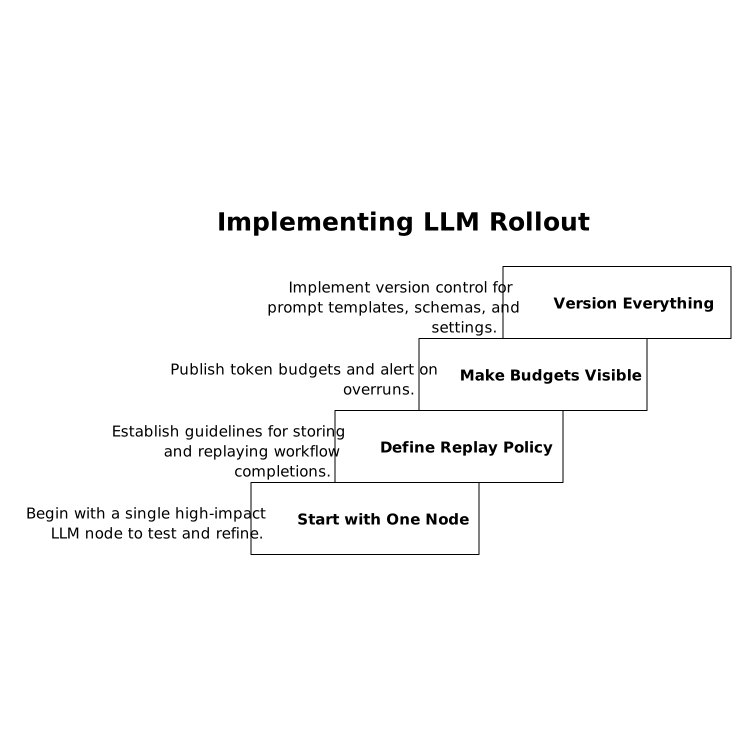
- Start with one high-impact LLM node: add tracing, budgeting, and validation before expanding across the DAG.
- Define a replay policy: decide which workflows store completions for exact replay and how long you retain them.
- Make budgets visible: publish per-node token budgets and alert on budget overruns or truncation events.
- Version everything: prompt templates, schemas, and model settings should be versioned like code.
Many teams learn these lessons while debugging downstream data quality issues. If your automations feed CRM or support systems, it’s worth pairing these practices with a strong upstream data discipline such as a field-level CRM sync checklist so the LLM isn’t asked to “fix” inconsistent inputs at inference time.
Frequently Asked Questions
How does windmill.dev help debug LLM nodes inside DAG workflows?
In windmill.dev, each workflow node behaves like an execution unit with logs and run context, which makes it practical to attach structured prompt traces, capture inputs/outputs, and inspect retries or failures per node.
What should a prompt trace include when using windmill.dev for AI automations?
For windmill.dev workflows, store node identity, model parameters, structured messages, resolved variables, context sources, token counts, raw output, parsed output, and schema validation results so replays and diffs are meaningful.
How do token budgets reduce incidents in windmill.dev workflows with LLM steps?
Token budgets prevent silent truncation and runaway costs. In windmill.dev you can enforce per-node caps, preflight token estimates, and switch strategies (top-k context, summarization pass) when budgets are exceeded.
What is deterministic replay for an LLM step and how can windmill.dev support it?
Deterministic replay means rerunning a node with comparable inputs and configuration. With windmill.dev you can implement output caching (exact replay) and fixture-based replays to keep upstream context consistent while testing fixes.
How should windmill.dev users handle invalid JSON or schema failures from an LLM node?
Treat parsing and schema validation as part of the node’s contract in windmill.dev: log raw output and errors, version the schema, and retry with targeted parameter or prompt adjustments rather than generic retries.